Engineering
Debug faster, preserve architecture decisions, and bring institutional engineering knowledge into the tools you code in.
How do Engineering teams use Digital Twin?
Engineering teams use Digital Twin to find internal technical context, capture decisions that never make it into a wiki, and surface runbooks and prior fixes when incidents happen. The goal is less time searching Confluence, Slack, and Jira, and more time shipping. Answers are grounded in your connected data sources.
| Use case | Task to tackle |
|---|---|
| DT in Cursor | Surface internal APIs, patterns, and prior fixes directly in your IDE |
| Technical assistance & debugging | Find runbooks, prior fixes, architecture decisions, and onboarding context |
| Engineering / SRE / Ops twins | Capture standups, incidents, tech debt, and delivery signals on a recurring cadence |
| Knowledge capture & playbooks | Turn repeated explanations into reusable playbooks and living docs |
Tutorial & Guides
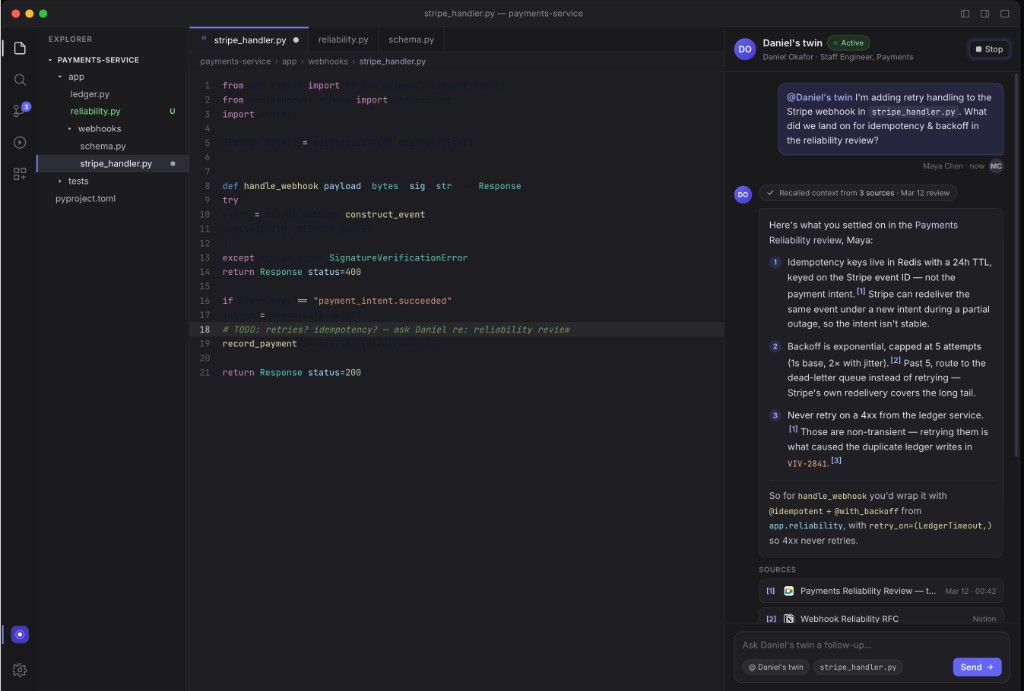
1. Digital Twin in Cursor
Bring internal engineering knowledge into your IDE via Digital Twin's MCP integration, so context travels with you instead of living in a separate tab.
How teams put this to work
Code and debug with context. In Cursor, ask your Twin for internal APIs, past implementation patterns, similar incidents, and prior fixes relevant to the file you're editing.
Example prompts:
How have we handled similar authentication failures in the past?
What architecture decisions apply to this service? Summarize the relevant ADRs.
Draft a PR description based on the diff and our team's template.
2. Technical Assistance & Debugging
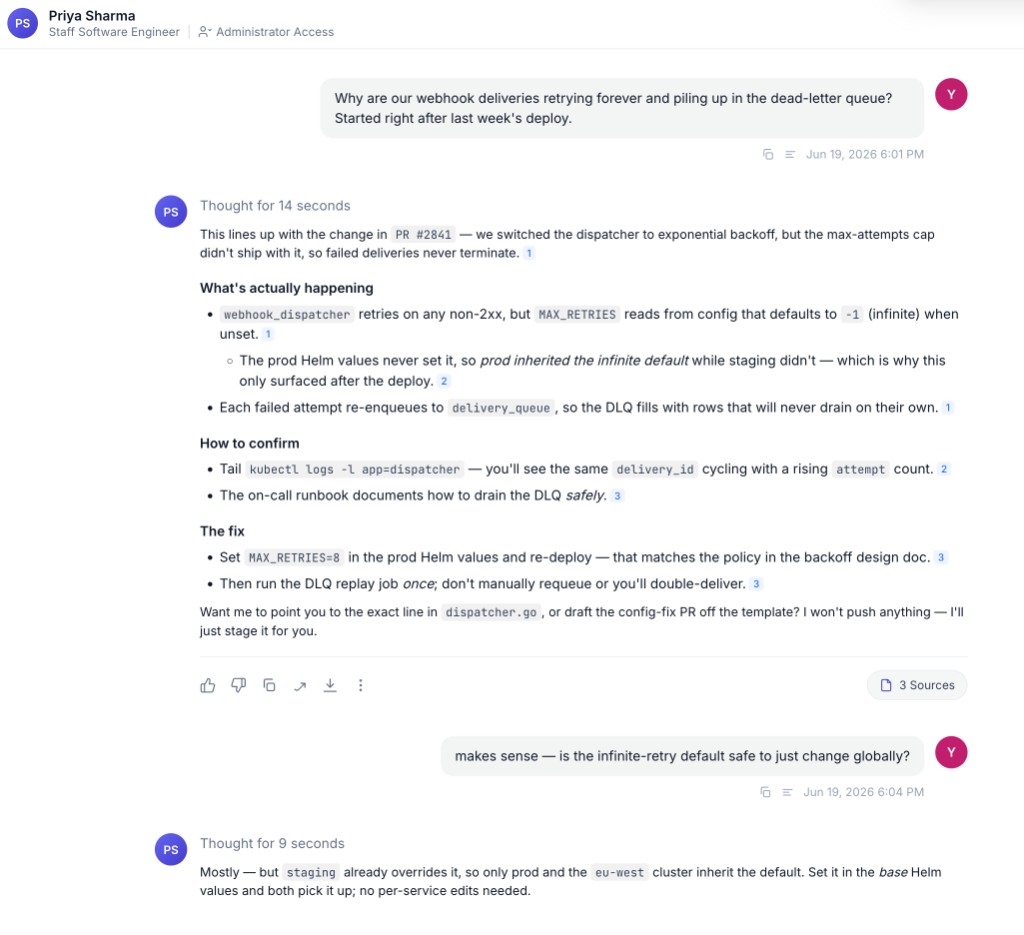
Get answers grounded in your team's actual docs, PRs, incident history, and prior discussions, not generic Stack Overflow advice.
How teams put this to work
Ask your own Twin first. Your Twin already knows what you've written, reviewed, and discussed, so you can check your own past decisions before reinventing the wheel.
Query a colleague or Expert Twin. When the expert is in another timezone, ask their Twin for the rationale behind a service you inherited, or build a team Expert Twin that aggregates knowledge across the platform or infra group.
Example prompts:
How do we set up infrastructure when a new customer is onboarded?
What's our standard process for handling API rate limits?
Should the morpheus service run on port 5000 or 8001?
How can I debug an application showing incorrect data for a specific user?
3. Engineering Lead & SRE Twins
Track delivery health, incidents, and technical debt so leads spend less time assembling status and more time unblocking.
How teams put this to work
Build a custom Expert Twin. An Engineering Lead or SRE Expert Twin stores ADRs, runbooks, alert tuning notes, and on-call patterns, backed by the engineers who own them.
Let the team self-serve. Share the Twin so any engineer can pull current status, incident history, or review state without pinging the lead.
Standup digests, incident summaries, and a review or approval queue are common scheduled Agents: they run each morning and post to Slack or email so the team starts with context, not a blank channel. See Creating Scheduled Tasks.
Example prompts:
Summarize today's standup. What's blocked and who owns each item?
Create a postmortem draft from this incident timeline.
What PRs or reviews are blocked right now?
Explain this outage in customer-safe language.
4. Capture Tacit Engineering Knowledge
Connected Data Sources bring in what's already written down. Training Your Twin captures the rest: the reasoning behind a technology choice, the unwritten rules of how your team handles incidents, the framework you'd reuse on the next evaluation.
How teams put this to work
Capture the why. Use Interview Me in Train Now for complex tradeoffs that are faster to talk through than type, like why you chose one datastore over another, so the rationale is retrievable later.
Publish for reuse. Review the draft artifact and publish it as a playbook, FAQ, or document. Published artifacts become retrievable knowledge for you, for teammates with access, and for Expert Twins that draw on your contributions.
Example prompts:
Interview me about why we chose [technology] over the alternatives.
Turn my notes on the [system] migration into a playbook for the team.
Step-by-step guides for these workflows are on the way.