Release Notes
Stay up to date with the latest improvements, new features, and bug fixes in Viven.
Some features listed here may not be available on your account depending on your plan or deployment type. Contact your Viven account executive to learn more or to enable specific features.
July 27, 2026
🗓️ Turn Granola meetings into answers your Twin can use
Connect Granola to your Twin and your past and future meeting notes and transcripts become knowledge your Twin can answer from.
On the Apps page, click Connect under Your twin can read and add your API key from Granola. Decisions, action items, and context from every Granola meeting are searchable on demand — no manual copying.

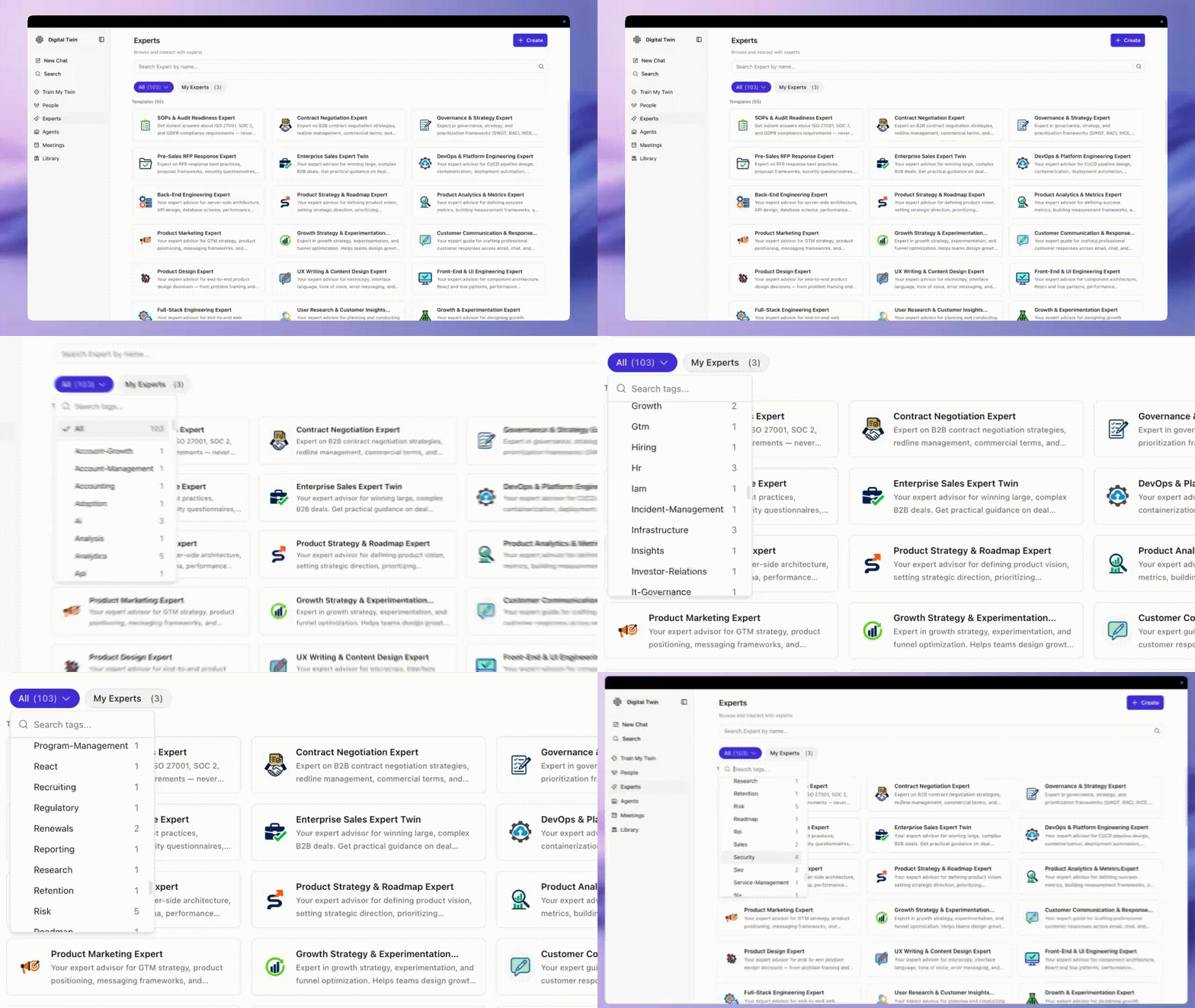
🧩 Build an Expert Twin in minutes with ready-made templates
Choose from pre-built templates to create an Expert Twin designed for specific roles or workflows — DevOps Expert, Contract Management Expert, Chief of Staff Expert, and many more.
Each template gives you a structured starting point with curated expertise already seeded, so you skip the blank page and get to useful answers faster. Browse the gallery and filter by tag or category to find the right fit.
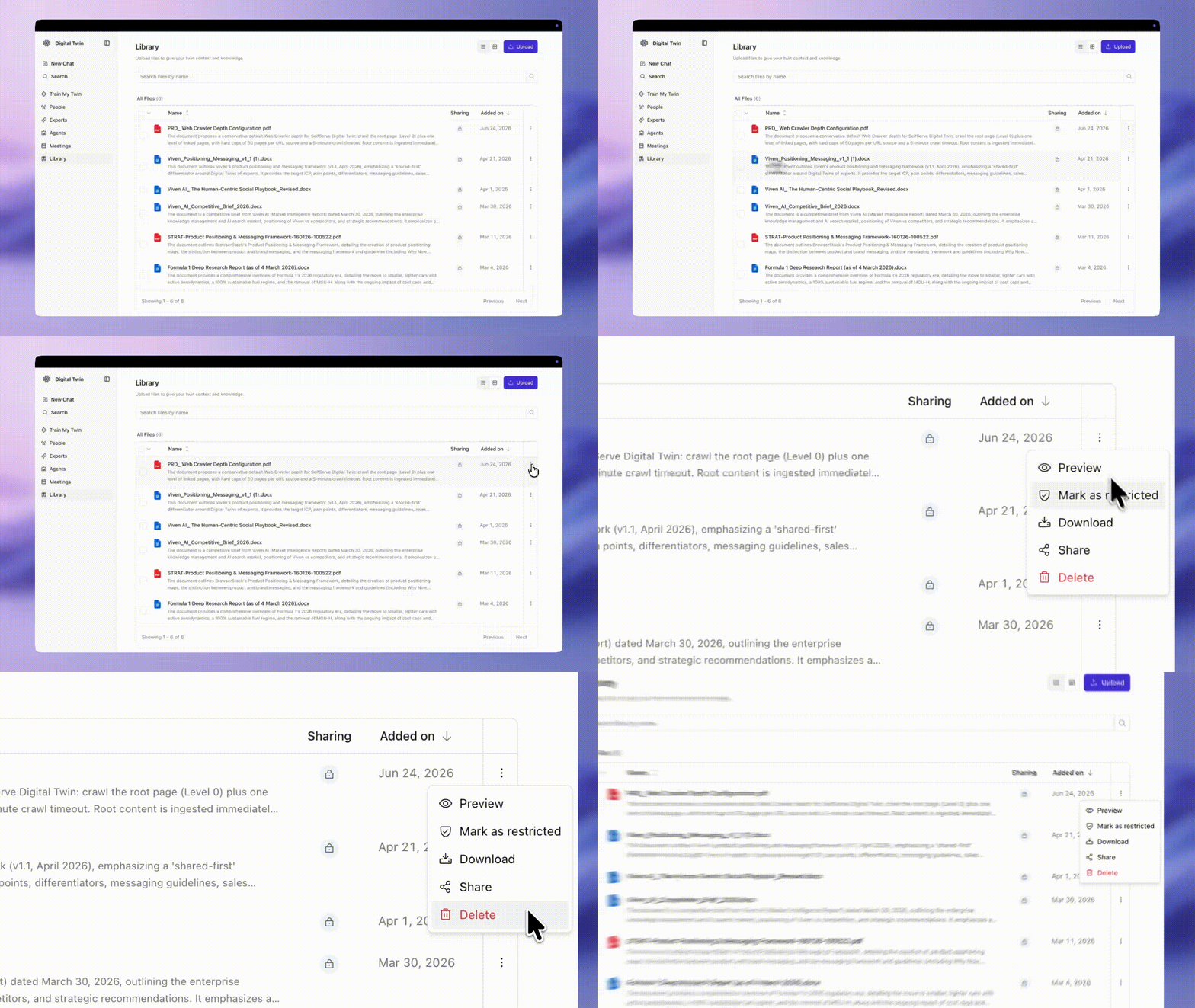
📁 Upload, organize, and share files in one place
The File Library gives you a central place to upload and manage files your Twin can learn from. Upload in chat or directly to the Library — files show up in both places. Start a chat from any file to ask questions about it, and share files with others so teams work from the same source of truth.
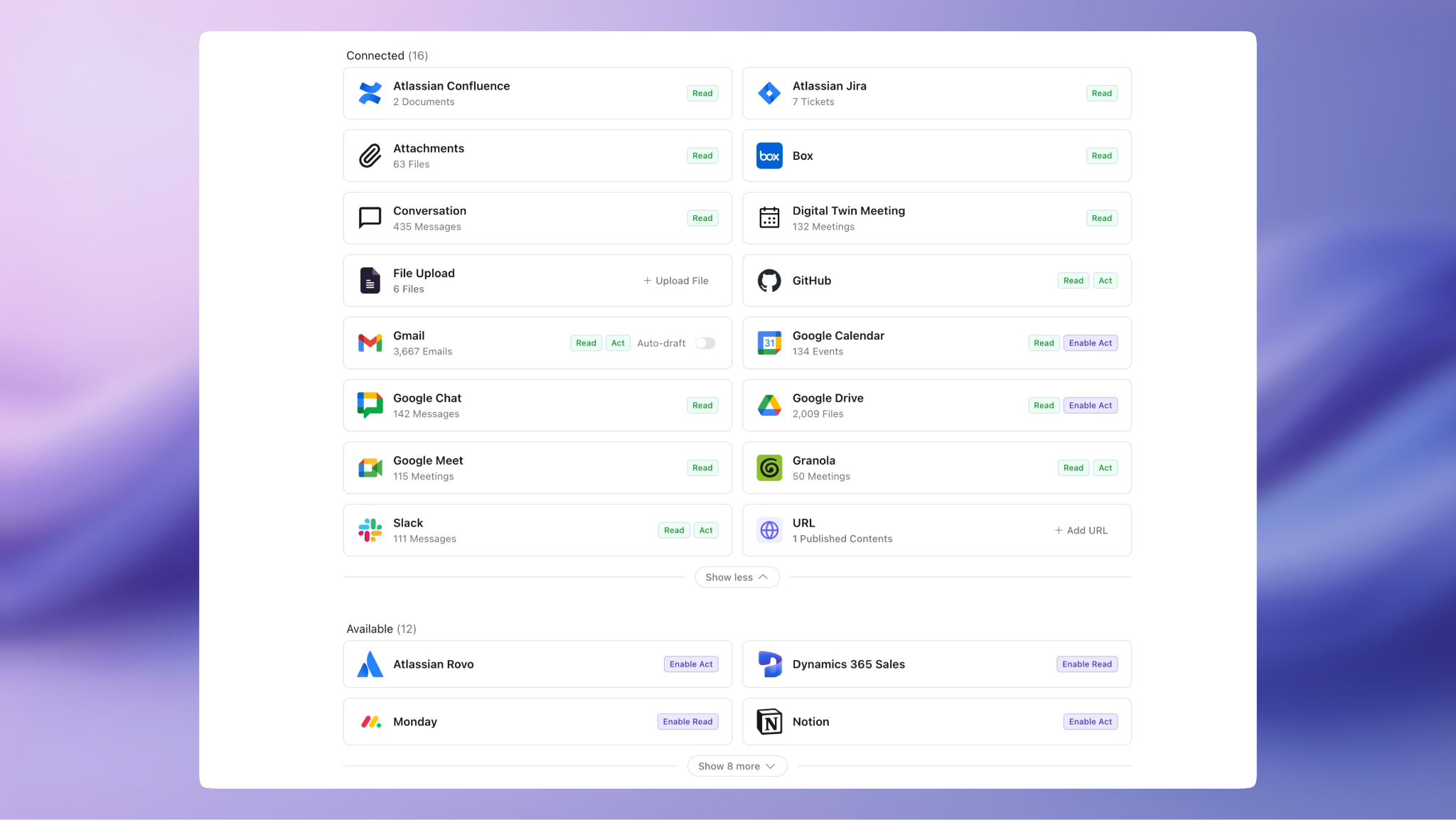
🔌 Find and connect apps faster with a redesigned Apps page
The Apps page now groups your integrations into Connected, Available, and External so you can see what's working, what you can add, and what lives outside Viven. Read and Act indicators show what each app can do at a glance.
July 1, 2026
🧭 Natural-Language Tool Invocation
Your Digital Twin picks the right tools automatically — powered by Agent Skills.
Before: You had to @tag the exact MCP server. More connected apps meant more guesswork.
Now: Ask in plain language. Tag with @ when you want a specific source or tool.
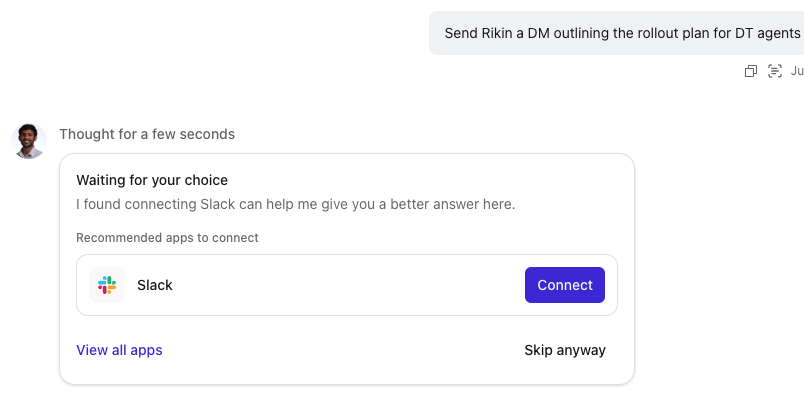
Connect inline
If an answer needs an app you haven't connected, authenticate mid-task and continue — or skip.
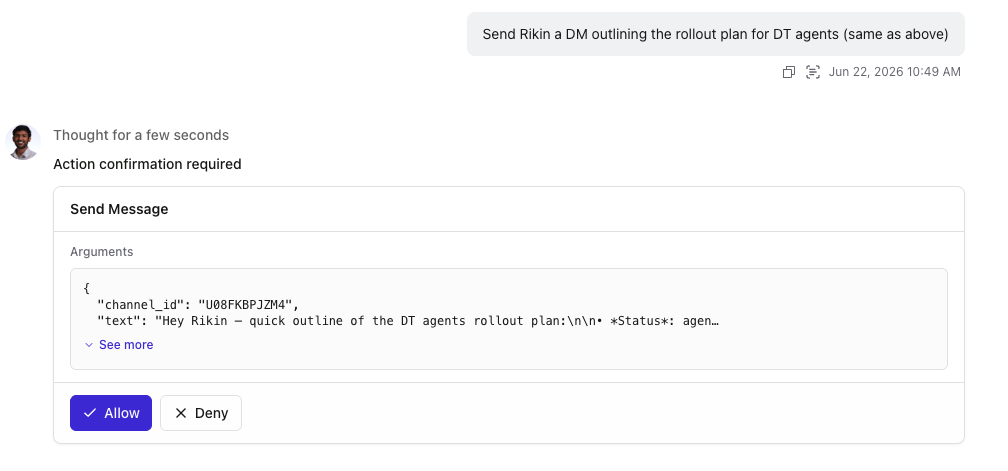
Approve before send
Every write action shows the exact message and waits for Allow before anything is sent.
What's new
- Live inbox — "What's unread today?" pulls current mail from the source.
- Take action — Schedule events, send messages, create tasks — each with one-tap approval.
- Your knowledge, intact — Actions run alongside everything your Twin already knows about you.
Safe when shared
When you query a colleague's Twin, read actions on their connected apps stay disabled. Any send uses your token, not theirs.
Write actions (send email, post to Teams, update files, etc.) require additional delegated write scopes in your Azure app registration. Admins: add the optional write permissions in Step 3 of Outlook setup and Step 2 of SharePoint and Teams setup.
May 22, 2026
🏠 A New Home for your Twin
A redesigned experience for training and sharing your Digital Twin — everything now starts from one place.
A New Home
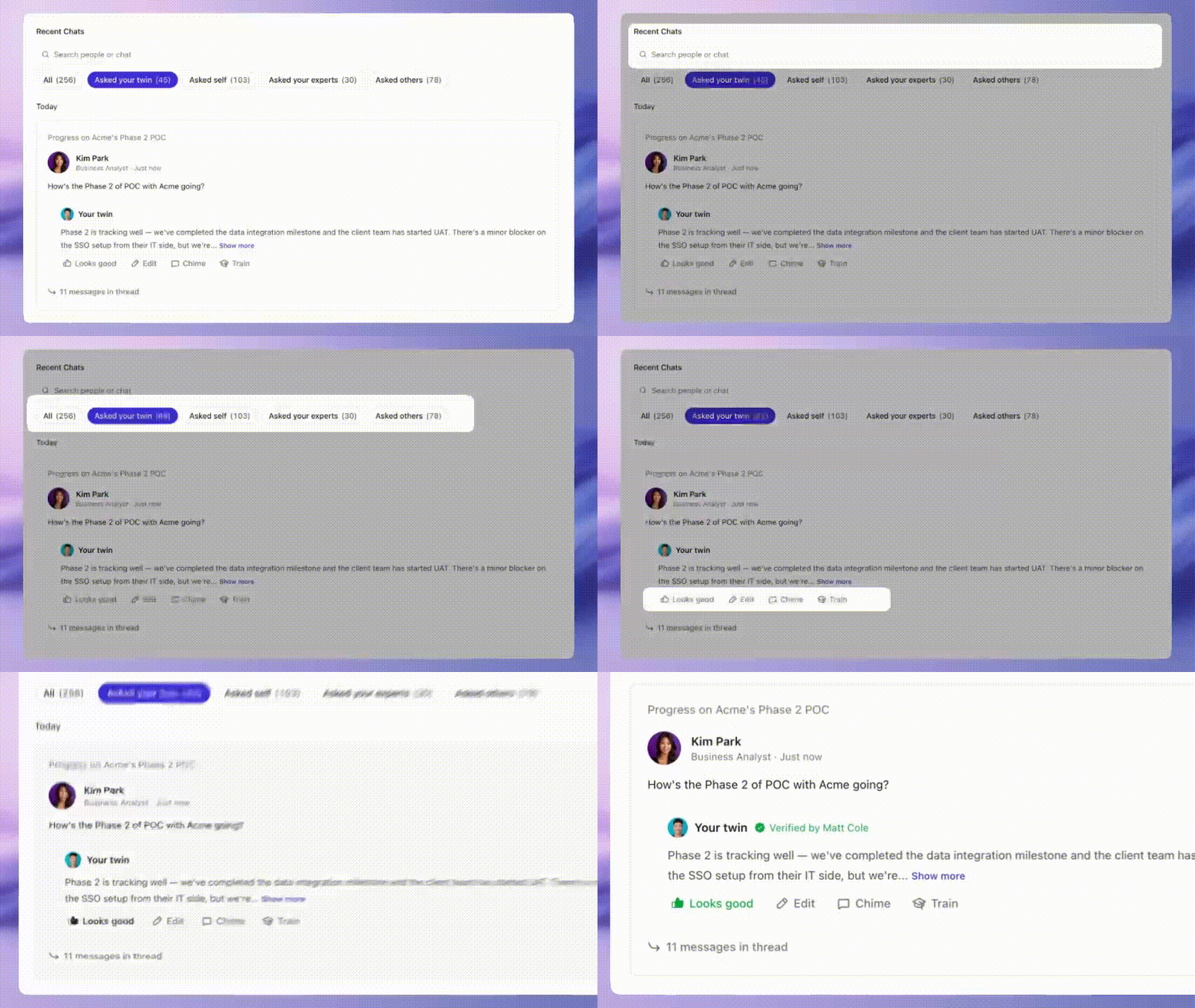
Every conversation across every Twin you interact with now lives on Home — questions teammates asked your Twin & Experts, questions you asked your Twin or theirs, all organized by recency. Search by person or keyword to find any past exchange.
You can verify it, edit it, or chime in with context. You stay in control of how your Twin is representing you.
Train from Conversations
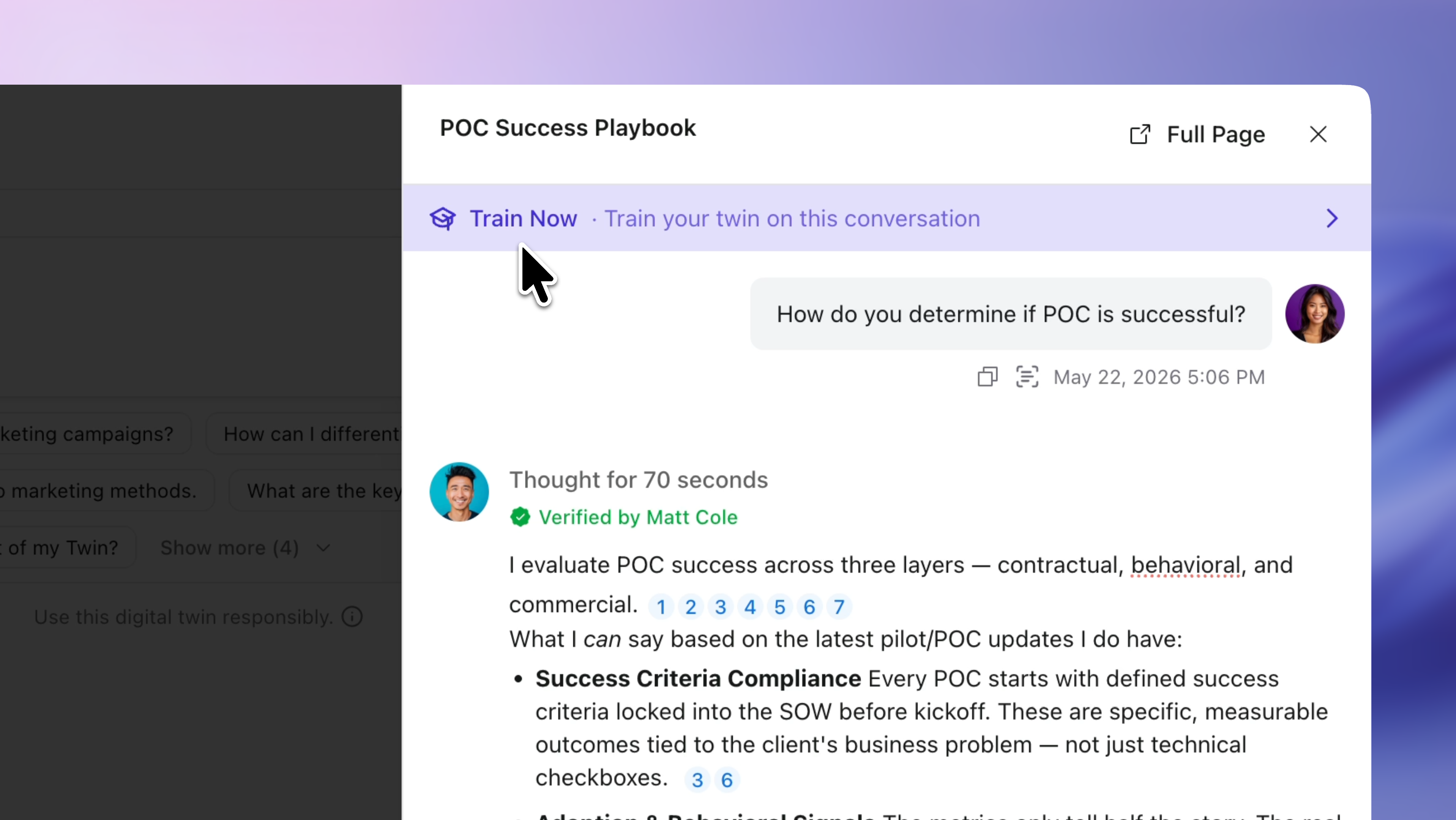
When a conversation captures something worth keeping, hit Train Now. Your Twin learns from the full thread, not just a single turn.
One good answer, refined once, becomes something your whole team can rely on.
Getting Started
Share your Twin with the person who pings you the most. Ask them to run one real question through it this week. You'll see the exchange on your Home feed — if the answer could be better, hit Train Now from that conversation and tighten it.