Recruiting
Calibrate roles from real work patterns, preserve institutional hiring knowledge, and ramp new hires faster.
How do Recruiting teams use Digital Twin?
Recruiting and talent teams use Digital Twin differently from most functions: less about querying CRM data, more about capturing how work actually gets done and turning that into calibrated job descriptions, onboarding plans, and knowledge transfer before departures. Answers draw on each contributor's connected knowledge and what they've shared.
| Use case | Task to tackle |
|---|---|
| Role calibration & job description generation | Build job descriptions and role task breakdowns from an employee's actual work over the past year |
| Backfill & onboarding preparation | Generate onboarding docs for successors based on an employee's actual projects and relationships |
| Ask a hiring manager's or recruiter's twin | Transfer interviewing approaches, calibration standards, and role-specific evaluation criteria |
| Inclusive JD review & compliance | Check job descriptions for biased language, missing compliance sections, and market-competitive framing |
Tutorial & Guides
1. Role Calibration & Job Description Generation
Instead of writing a job description from a template, calibrate the role against what high performers actually do, grounded in their Digital Twin's knowledge of real projects, tasks, and challenges.
How teams put this to work
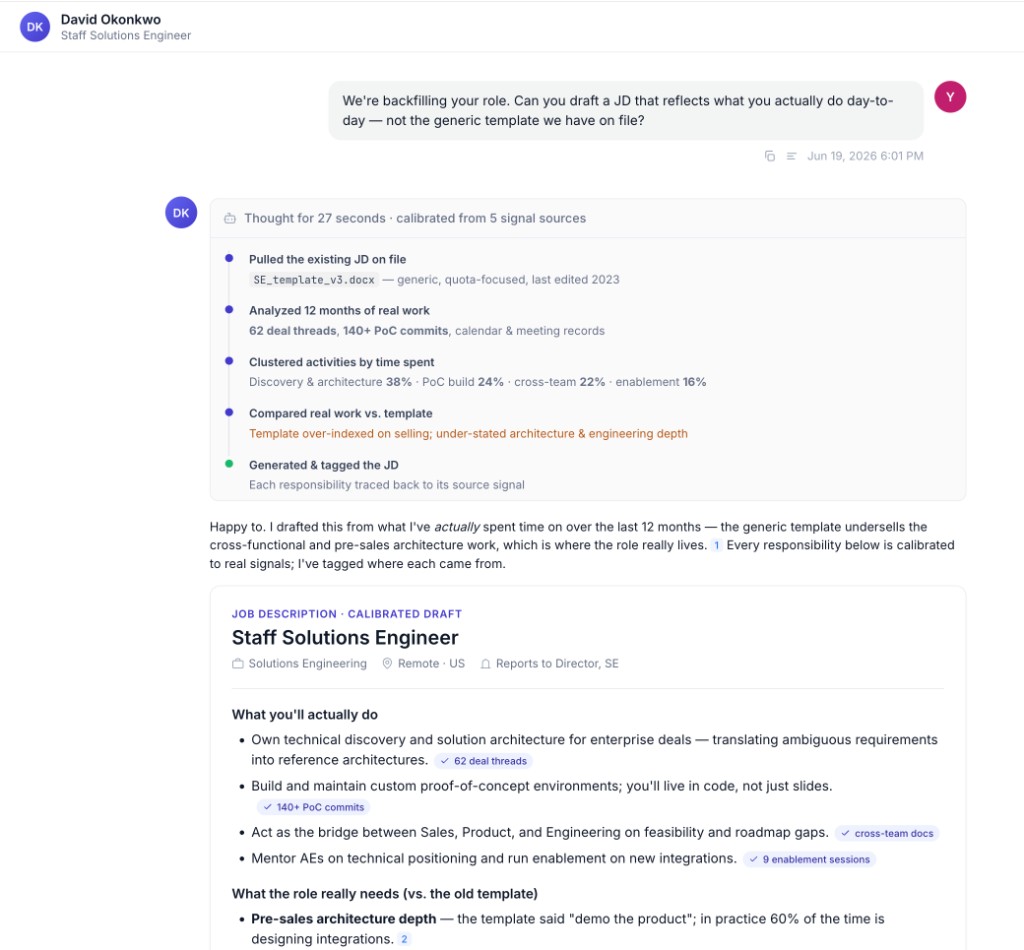
Calibrate from real work. Ask a strong performer's Twin to break their role into the tasks it actually involves, then turn that into a job description rooted in reality.
Find the common pattern. Query several contributors' Twins to identify the shared tasks across a role family before finalizing a requisition.
Example prompts:
Based on your work over the last year, list the tasks this role actually involves and break it into a set of tasks.
Based on the work you've been doing, can you create a job description for your role?
2. Backfill & Onboarding Preparation
When someone transitions out of a role, their Twin preserves the institutional knowledge that never made it into a formal handoff doc.
How teams put this to work
Generate the handoff. Ask the departing employee's Twin to draft an onboarding doc for their successor, including the key people the new hire should meet internally and externally.
Capture before the last day. Encourage departing employees to run Train Now sessions to capture playbooks, relationship context, and unwritten process knowledge that onboarding docs typically miss.
Example prompts:
Prepare an onboarding doc for my backfill based on the work you've done, including key people to meet internally and externally.
What are the top 5 things a new hire in your role needs to know in the first 30 days?
3. Ask a Hiring Manager's or Recruiter's Twin
Transfer interviewing standards, calibration rubrics, and role-specific evaluation criteria from experienced hiring managers, without scheduling another calibration session.
How teams put this to work
Borrow proven rubrics. Ask an experienced hiring manager's Twin what they probe for and how they evaluate a given skill area.
Build a hiring Expert Twin. For high-volume roles, an Expert Twin backed by your best interviewers gives the whole panel consistent criteria and questions.
Example prompts:
What questions do you typically ask for senior [role type] candidates?
How do you evaluate [skill area] in interviews?
What red flags have you learned to watch for in [role type] screens?
4. Inclusive JD Review & Compliance
Review draft job descriptions for biased language, missing compliance sections, and alignment with your organization's standard templates.
How teams put this to work
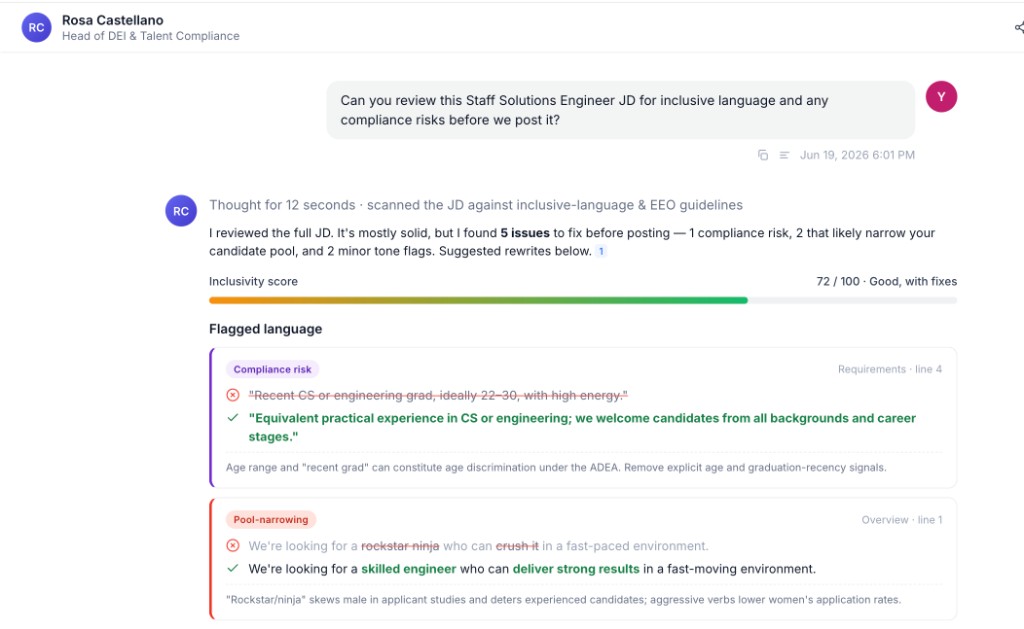
Scan for bias and gaps. Ask the Twin to flag exclusionary language and suggest inclusive alternatives before a JD goes live.
Check against your template. Keep your standard JD templates and compliance language in your Library so the Twin can compare drafts and flag missing sections.
Example prompts:
Review this job description for biased or exclusionary language and suggest inclusive alternatives.
Does this JD include our standard EEO statement and required compliance sections?
Compare this draft against our [role family] template and flag any gaps in qualifications or responsibilities.
Step-by-step guides for these workflows are on the way.